One Home for Every Piece of Content Your Team Creates
Unify decks, PDFs, videos, web pages, and more from Google Drive, SharePoint, Notion, and Slack into a single, searchable content library that powers AI, analytics, and automation.
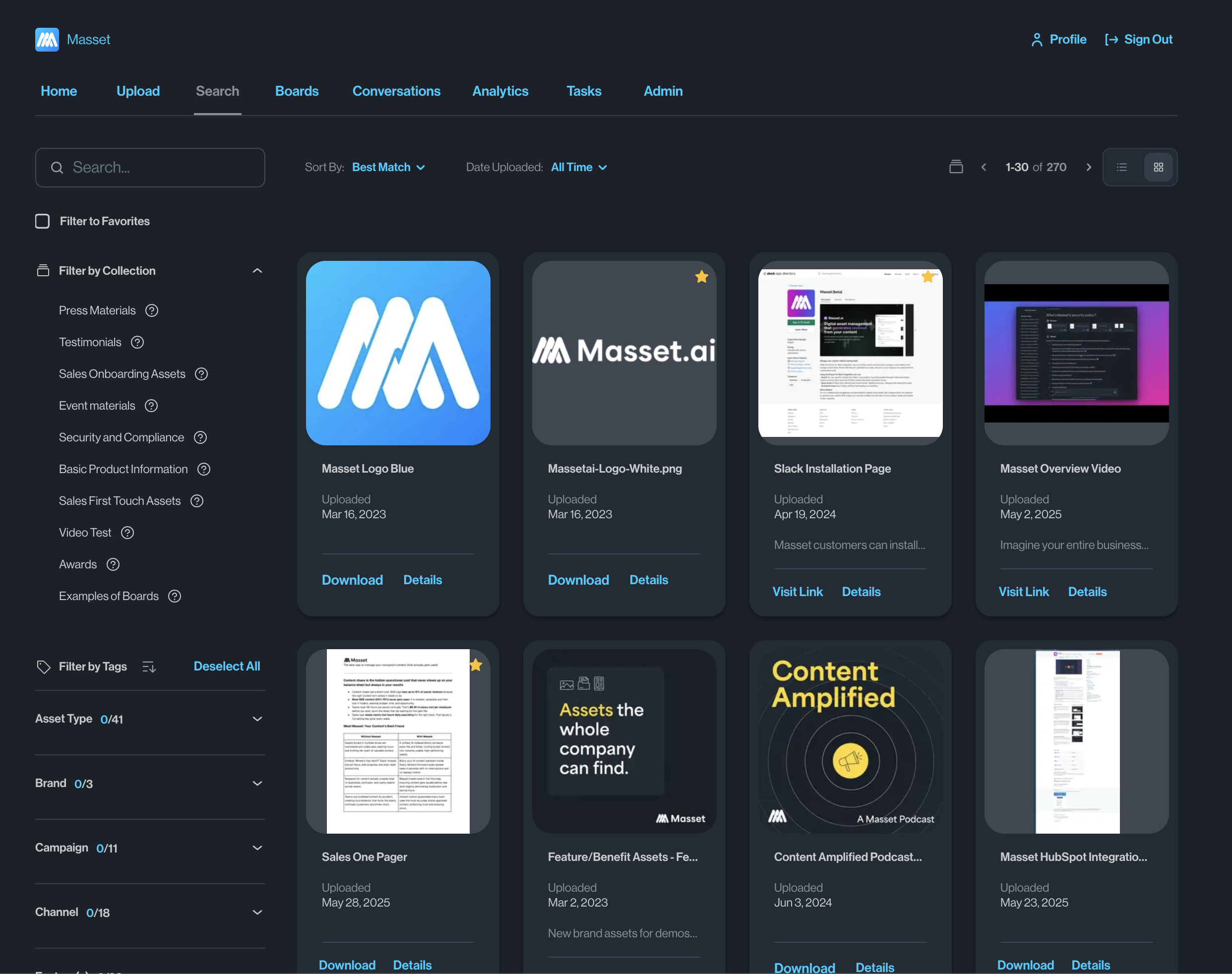
Masset's Unified Content Library centralizes all B2B sales and marketing content — decks, PDFs, videos, spreadsheets, web pages, and case studies — into a single searchable platform connected to Google Drive, SharePoint, Notion, Slack, and company websites. Organizations using Masset report finding content 95% faster and eliminating an average of 12 duplicate content requests per month. The library powers Masset's AI, analytics, and automation features through Collections for organizing content by use case, topic, or audience.
Before Masset vs. After Masset
Without Masset
- Content scattered across Google Drive, SharePoint, Slack, email, and personal desktops
- Nobody knows what content exists, let alone which version is current
- New content gets created because existing assets can't be found
- No way to measure what content is actually being used
With Masset
- Every asset in one searchable library — automatically synced from all your sources
- Natural language search finds exactly what you need in seconds
- Collections organize content by use case, audience, and topic
- Analytics, AI, and automation built on top of your unified library
Get Started in Minutes
Connect your content sources
Link Google Drive, SharePoint, Notion, Slack, your website, and other sources. Masset automatically imports and indexes all your content — decks, PDFs, videos, spreadsheets, web pages, and more.
Content is auto-organized and searchable
Masset's AI reads, categorizes, and tags every asset. Natural language search means your team can find content by describing what they need, not remembering file names.
Create Collections for every use case
Group content into Collections — by deal stage, industry, persona, campaign, or any organizing principle. Collections make it easy to surface the right content for any situation.
Keep everything current, automatically
Connected sources sync continuously. When a file is updated in Google Drive, it's updated in Masset. Version control ensures everyone always has the latest asset.
What You Get
Find Any Asset in Under 10 Seconds
Natural language search across every content type and source. Describe what you need in plain English and get the right asset instantly.
Always Synced, Always Current
Continuous sync with Google Drive, SharePoint, Notion, and more. Content updates automatically — no manual re-uploads or version confusion.
Collections That Make Content Findable
Organize content by deal stage, persona, industry, or campaign. Collections create logical groupings that match how your team actually works.
Power AI, Analytics, and Automation
Your unified library becomes the foundation for Myca AI, content analytics, MCP integration, and every other Masset capability.
Everything Under the Hood
01Content Sources
- Google Drive — docs, sheets, slides, and more
- SharePoint and OneDrive integration
- Notion pages and databases
- Slack messages and shared files
- Website pages and blog content via URL
02Content Types
- Presentations (PPT, Google Slides, Keynote)
- Documents (PDF, Word, Google Docs)
- Videos (YouTube, uploaded, recorded)
- Spreadsheets and data files
- Web pages, case studies, and blog posts
03Search & Discovery
- Natural language search across all content
- AI-powered content descriptions and tagging
- Filter by type, date, source, author, and custom fields
- Full-text search inside documents and presentations
- Recommended content based on context and role
04Collections & Organization
- Create Collections by use case, audience, or topic
- Drag-and-drop content curation
- Nested Collections for complex taxonomies
- Share Collections internally or with external partners
- Set Collections as homepages for specific teams
See It In Action
Onboarding Masset for a 200-person GTM organization
Connects Google Drive (marketing), SharePoint (sales), and Notion (product) to Masset. Creates Collections for each deal stage, industry vertical, and persona. Within 4 hours, the entire team has access to a unified, searchable library.
Outcome
Content requests drop by 60% in the first month. Sales reps find what they need without asking marketing.
New product launch requires distributing 20+ assets to the entire sales team
Creates a "Product Launch Q1" Collection in Masset with battle cards, pricing guides, case studies, and demo scripts. Shares the Collection link in Slack and sets it as the homepage for the sales team.
Outcome
100% of the sales team accesses the launch content within 48 hours, with zero email follow-ups needed.
Needs to understand the full content inventory across a distributed team
Uses Masset's library view to see every piece of content the organization has created, filtered by type, age, and usage. Identifies 40% of content that hasn't been accessed in 6+ months.
Outcome
Redirects budget from new content creation to updating high-performing existing assets, improving ROI by 35%.
Common Questions
One Library. Every Asset. Always Current.
Stop losing content across scattered drives and tools. Unify everything in Masset and give your team a single source of truth.