Boards: Set Up a Room for Any Guest
A deal room for a prospect. An onboarding room for a new hire. A portal for a partner. An event room for a webinar. Each one curated from the same home, tracked, and always current.
Your CRM already calls them Content Rooms. Your guests just call them useful.
Masset Boards enable B2B teams to create custom, shareable content hub pages that combine assets, descriptions, sections, and embeds into a single destination for any audience or use case. Organizations use Boards for sales enablement, new hire onboarding, partner portals, event resources, and customer success programs, with teams reporting 40% faster onboarding and 3x higher content engagement compared to shared drive folders.
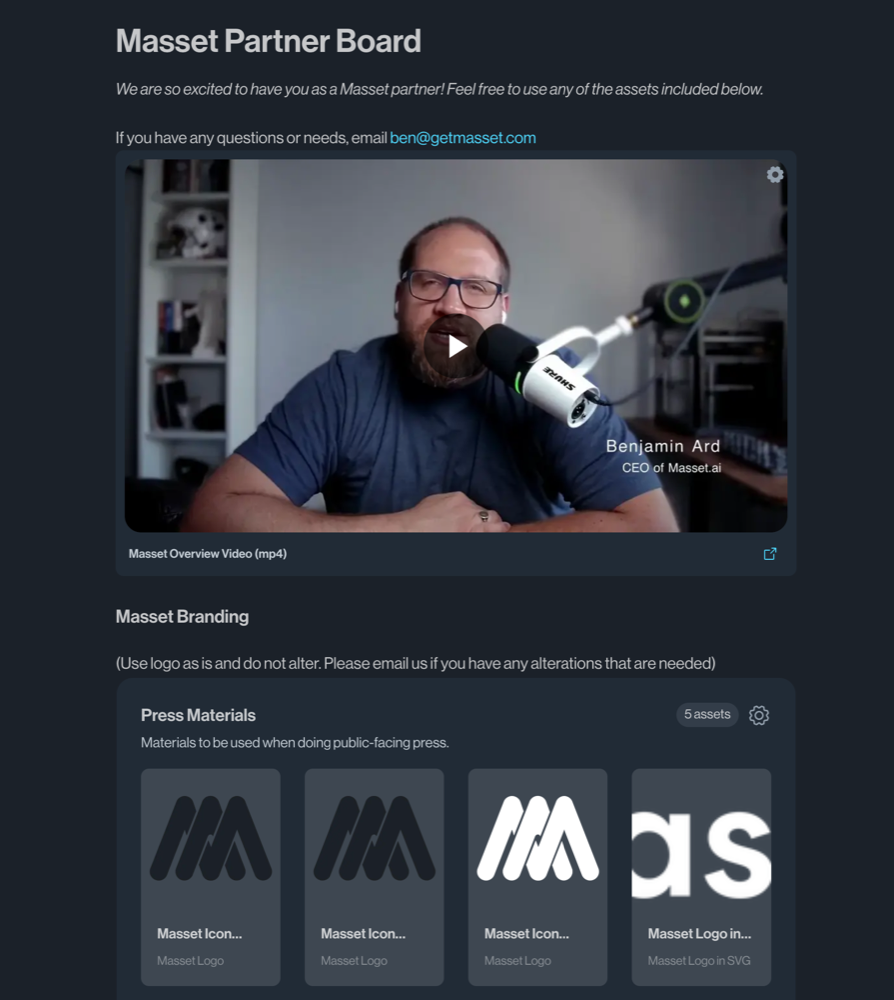
Before Masset vs. After Masset
Without Masset
- Onboarding materials scattered across 5+ tools and dozens of folders
- Partners and customers get a dump of links with no context or organization
- Event content lives in email threads that nobody can find after the event
- No way to track whether anyone actually engages with the content you share
With Masset
- Beautiful, organized content pages for any audience — built in minutes
- Add descriptions, sections, and embeds alongside your assets for full context
- Share Boards internally or externally with one link
- Track engagement: who viewed what, for how long, and what they downloaded
Get Started in Minutes
Create a Board
Start with a blank Board or a template. Give it a name, add a description, and start building. Boards are as simple or sophisticated as you need them to be.
Add content and context
Drag in assets from your Masset library, add descriptive sections, embed videos or links, and organize everything into logical groups. Design the experience you want your audience to have.
Share with anyone
Share Boards internally with specific teams or externally with partners, customers, and prospects. Set a Board as the homepage for any group to ensure they see the right content first.
Track engagement
See who visited your Board, which assets they viewed, how long they spent, and what they downloaded. Use engagement data to follow up or optimize your content.
Everything Under the Hood
01Board Design
- Drag-and-drop content from your Masset library
- Add rich text descriptions and section headers
- Embed videos, links, and external content
- Organize content into collapsible sections
- Custom branding and styling options
02Sharing & Access
- Share via link with internal teams
- Share externally with partners and customers
- Set as homepage for specific groups or teams
- Password protection and access controls
- Manage visibility and permissions per Board
03Engagement Analytics
- Track unique visitors and page views
- See which assets are viewed and downloaded
- Measure time spent on each section
- Identify most and least engaged users
- Export engagement reports for stakeholders
04Templates & Use Cases
- Sales enablement and deal room Boards
- New hire onboarding packages
- Partner and channel resource portals
- Event and webinar content hubs
- Customer success and onboarding resources
Built for your team.
See how teams like yours use MassetCommon Questions
Build a Content Hub in Minutes.
No design skills needed. Create beautiful, trackable content pages for any audience. See Boards in action with a demo.