Two weeks of work, in one place
Here is something new. We are moving these product updates to once a week. Instead of a feature a day landing in your inbox, you will get the whole batch every Wednesday, grouped and explained in one place. This is the first one, and because Ben was out of town last week, it covers two weeks of work: 14 updates in all.
If you would rather watch than read, the walkthrough below shows how to turn on and use the highlights, with real screens from the app. Otherwise, scroll on. We grouped the 14 updates into six themes so you can jump to what matters for your team.
A new, more modern way to see your library
Masset has a new Modern layout, now in beta. It gives you more visual room to move around your library, so finding things feels lighter and faster. You can turn it on yourself under Profile > Appearance, then pick "Modern" under Navigation Layout. We are going to keep improving it over the coming weeks.
With the Modern layout on, two things you have asked for come along with it. You can resize the cards in your search results, so you see far more assets at once and move through them faster. And you can customize which details show on each result, like image resolution, owner, file size, tags, and file type. You get more about your content at a glance than ever before.
Myca now works in Teams group chats
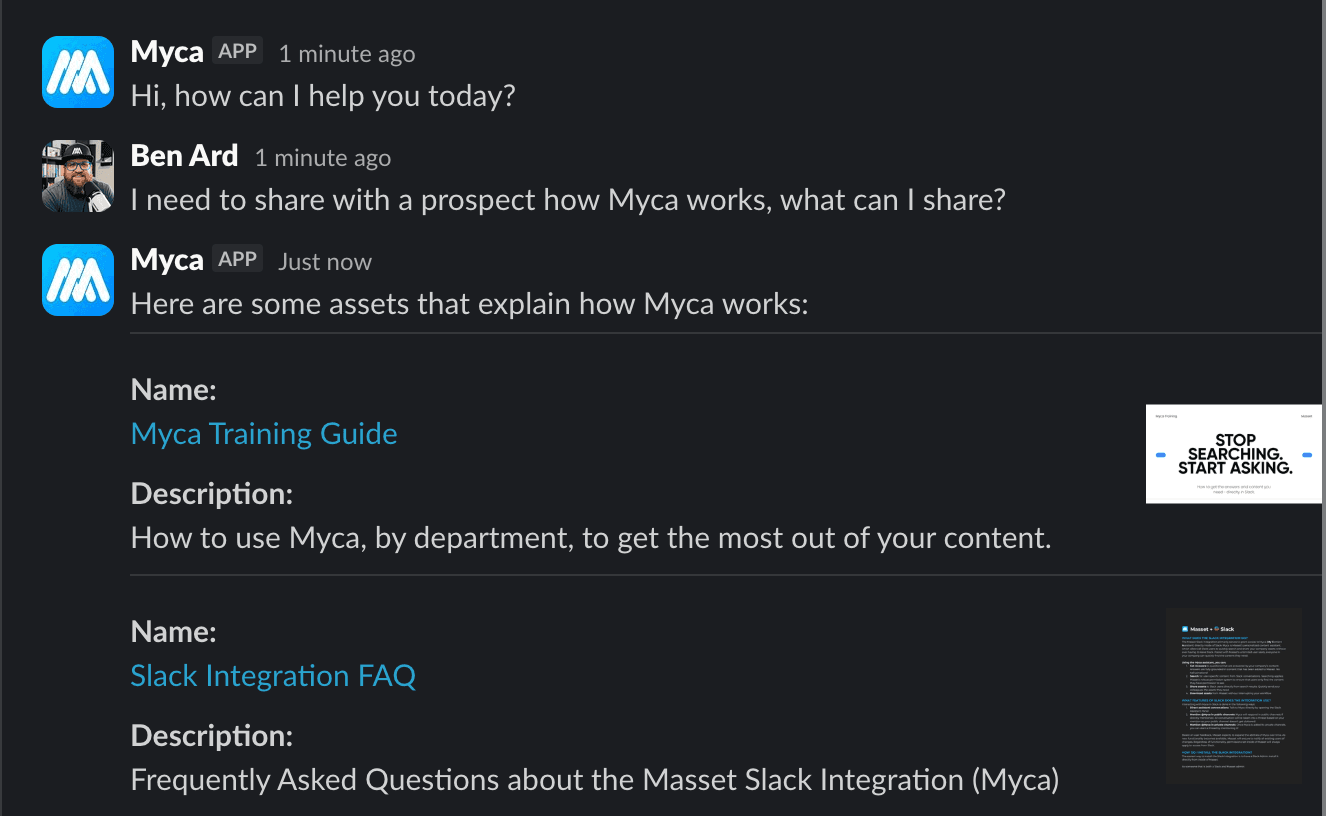
Myca, your AI content assistant, now works inside Microsoft Teams group chats, not just one-on-one messages. Mention @Myca in any group thread and it will jump in with the right content. Now a whole channel can pull approved, on-brand assets together without anyone leaving the conversation.
Run your content library from your AI
This is a big one if you live in Claude or ChatGPT. You can now upload and create new assets in Masset directly from your AI, using our new asset_upload MCP tool. And you can update existing assets the same way with the new asset_update tool: rename them, drop them into collections, change tags, whatever you would normally do by hand in the Masset UI.
Put together, these two close the loop. Your AI is no longer just reading from your library. It can build and maintain it too.
“Your AI is no longer just reading from your library. It can build and maintain it too.”
Asset requests that route themselves
Want requests from certain people to land with the right person every time? Now when someone creates an asset request, Masset can route it automatically based on the requester's groups or teams. The right work reaches the right implementer, with no manual triage in the middle.
Know more about every asset
Masset's asset processing pipeline can now compare assets by similarity. When you open an asset, you can see other assets that are like it, which makes finding the right version and spotting duplicates much easier. This will keep getting smarter over time, and if you want to help shape how similarity should work, reach out. We would love the input.
We also added two small but handy details to the asset page. You can now see which collections an asset belongs to right from its details page, without opening edit mode. And you can see the original file extension of an asset there too.
Quieter wins for admins, notifications, and integrations
A few updates that make the day-to-day smoother:
- Admin conversation visibility. Admins can now see the contents of tricky conversations, so it is easier to understand what people are asking for and where they get stuck. More summarizing and aggregation for admins is coming.
- On-demand asset notifications. You can let users know when an asset has been uploaded or changed. Trigger it during upload, from an existing asset, or in bulk from search results.
- Better Wistia link support. We now process previews and contents of Wistia links in more formats and structures.
- Improved HubSpot OAuth. We added a newer, more secure OAuth flow for HubSpot, so your data stays private and protected.
From here on, once a week
That is two weeks of work in one post. From now on we are sharing these updates once a week instead of every day, so each Wednesday you will get the full batch in one place. It is part of our 100-day build-in-public challenge, the same one where Ben is shipping something with AI and chipping away at a 50-pound goal before he turns 40.
If any of these updates would help your team and you want a hand turning them on, just reply to the email that brought you here. We are happy to walk you through it, or even put together quick training on any of them.
Key Takeaways
- Masset shipped 14 updates over the last two weeks, now bundled into one weekly roundup instead of a daily drip.
- A new Modern layout (beta) adds more room, resizable cards, and customizable search-result details. Turn it on under Profile > Appearance.
- New MCP tools let you upload and update assets straight from Claude or ChatGPT, so your AI can build and maintain your library, not just read it.
- Myca now works in Microsoft Teams group chats, and asset requests can route themselves based on who is asking.
- Smaller wins across asset similarity, collections and file type on the details page, admin conversation visibility, notifications, Wistia links, and a more secure HubSpot OAuth.