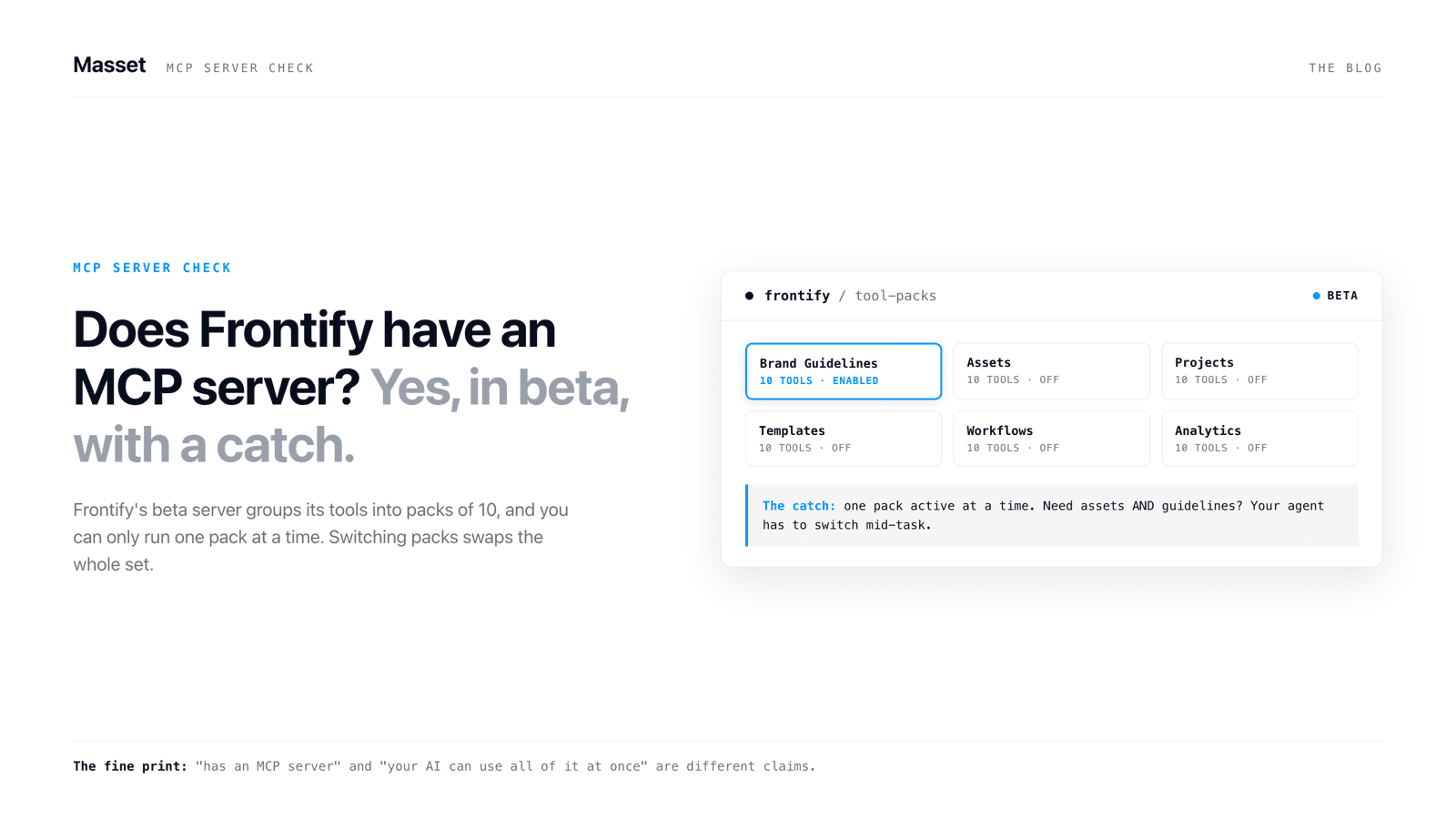
Yes, Frontify has an MCP server. It shipped in beta in mid-2026.
Yes. As of July 2026, Frontify has an official MCP server. It is in beta, Frontify hosts it, your Customer Success Manager has to turn it on, and it exposes roughly 50 tools organized into 10 tool packs. It reads brand guidelines and searches assets. It also writes: uploads, tags, moves, bulk edits, workflow tasks, and creative exports from templates.
That write surface surprised me. I went in expecting read-only search, if anything at all. Frontify shipped something genuinely broad.
One oddity up front: Frontify's own pages disagree on the tool count. The help center and their DAM buyer's guide both say 52 tools. The live server page showed 57 in the admin pack when I checked on July 7, 2026. So the honest number is roughly 50, and moving. That is what beta means.
Full disclosure: I run Masset, and we build a competing MCP server. I'm biased. That's exactly why every claim below links to Frontify's own pages, all checked July 7, 2026.
“Frontify's own pages say 52 tools in one place and 57 in another. The honest number is roughly 50, and moving. That is what beta means.”
What we checked before writing this
Nobody independent has reviewed this thing yet. Search the keyword and you get six Frontify properties, two promo videos, a LinkedIn post, and one third-party page that turns out to be empty. So we did the reading ourselves. Five sources, all Frontify's own, all checked July 7, 2026:
- The help center beta article. The factual source of truth: tool counts, pack mechanics, activation, pricing, and every warning quoted below.
- The live server landing page. The 10 packs with per-pack tool counts and endpoints, and no other context.
- "Selecting an MCP-Enabled DAM". Their buyer's guide (published May 22, 2026, updated June 26, 2026), with a genuinely useful evaluation checklist and their CEO's framing.
- The Frontify/mcp-servers GitHub repo. Published June 24, 2026. Documentation only: a README and an MIT license. No source code, because the server itself is hosted and closed.
- The two Kitchen essays and the positioning blog post. The origin story (a June 2025 hackathon prototype) and the marketing frame, with almost no technical detail between them.
We're running this same receipts check across the whole category. We're producing the same for Brandfolder and Canto: read everything the vendor published, date every fact, and put the whole picture on one page.
How it works: one hosted endpoint, ten tool packs, one pack at a time
The server is hosted by Frontify at https://mcp.frontify-integrations.com/mcp. There is nothing to install or self-host, and no source code to read. Auth is OAuth following the MCP authorization spec, so each user signs in with their own Frontify login.
The design choice that matters most is the pack model. The tools are grouped into 10 packs, and the main URL serves one active pack at a time for your whole account. An admin switches packs with a tool called frontify_account_configure_pack, and the switch affects every user on the account. Each pack also has its own dedicated URL if you want to lock one connection to one pack.
The default pack is discovery. It is read-only and covers brands, guidelines, libraries, projects, assets, and templates. Per the live server page on July 7, 2026, the packs and their tool counts are: admin (57, everything), discovery (26), collaboration (24), asset organization (23), asset creation (23), creative automation (20), workflow automation (24), brand admin (21), brand portal (11), and bulk operations (17).
Documented clients: Claude and Claude Desktop as a custom connector, Figma Make, Microsoft Copilot Studio, ChatGPT as a connector, and any MCP client that takes a config file. Frontify names Cursor and Windsurf in that last group.
What it does well
Credit where it's due. Four things stand out.
Brand knowledge reads. The discovery and brand portal packs let an AI read your guideline portals and pages directly. Recent beta updates added Brand Essentials fonts and color palettes (including a read-only colors tool built for Figma) plus copyright and licensing info in asset results. This is the "can my AI actually know our brand" use case, answered.
Template-driven creative automation. The creative automation pack exports creatives from Frontify templates with custom text, image, and color variables. An agent can produce on-brand variants of an ad or a social card without anyone opening a design tool.
Metadata hygiene at scale. Tags, targets, metadata, collections, folders, and a dedicated bulk operations pack. Content cleanup is the chore every DAM admin postpones. Handing it to an agent is a real workflow, not a demo.
Workflow routing. Tasks, statuses, and checklists are reachable over MCP, so an agent can move work through review instead of just fetching files.
Frontify's CEO Roger Dudler frames the value plainly: "Before MCP, you had to feed AI your brand by hand… the assistant just knows to ask Frontify." On the read side, that is exactly what this delivers.
The fine print, gathered in one place
Everything in this section comes from Frontify's own help center and guide. Credit to them for writing it down. But it's spread across several pages, and you should see all of it before wiring an agent to your brand library.
It's a beta with no support commitments. Frontify's own words: the server "may be incomplete, unstable, or subject to breaking changes. No support commitments or reliability guarantees are provided."
You can't just turn it on. Access goes through your Customer Success Manager. There's no self-serve toggle, and no public list of which plans qualify.
One pack at a time, for everyone. The main URL serves a single active pack account-wide. If an admin switches from discovery to bulk operations, that switch hits every connected user on the account at once.
Writes can go wrong. Frontify warns that agents "may occasionally misinterpret instructions, which could lead to unintended changes" and recommends backing up your data before enabling write packs.
Your data leaves Frontify. Once results reach the external AI tool, "Frontify does not control how external AI vendors handle, store, or retain data."
Free now, maybe not later. The beta is free and doesn't count toward monthly active users. Frontify says pricing may be introduced after the beta, with advance notice.
None of this is a gotcha. It's normal beta reality, honestly disclosed. It just belongs on one page.
What it does not cover
The scope is brand and creative operations. That's a design choice, not a failure. But if you're evaluating MCP-enabled DAMs, the boundary matters as much as the surface.
- No CRM writeback. Nothing touches HubSpot or Salesforce. Content engagement doesn't flow into the systems your revenue team lives in.
- No distribution layer. There are no trackable shares, so an agent can fetch content but can't send it out and report who engaged with it.
- No training surface. Nothing turns content into team knowledge: no quizzes, no reinforcement, no enablement layer.
- Per-tool permission enforcement is not publicly documented. The OAuth flow ties access to your Frontify login, which is good. But Frontify doesn't publish a guarantee that every MCP tool mirrors each user's in-app permissions. It may exist. We just couldn't find it documented anywhere.
- Closed source, hosted only. You can't read the code or run the server yourself. The GitHub repo is a README and a license.
For the running picture of which DAM vendors have shipped what, we keep an MCP landscape section in our DAM buyer's guide.
How it compares to Masset's MCP server
We build Masset's MCP server, so read this table knowing who wrote it. We kept every check Frontify earns.
The honest summary. Frontify's surface is bigger in raw tool count and stronger for creative production: template-driven creative export is a real strength we don't attempt. Masset's server is generally available, enforces each user's permissions on every one of its 35 tools (21 reads, 14 writes), and covers the whole content home: assets, boards, training, and content requests. Frontify's is beta, CSM-gated, runs one pack at a time per account, and stays inside brand and creative work.
Which one fits depends on your actual problem. If it's producing on-brand creative variants, Frontify's MCP is aimed right at you. If it's making every AI tool your team uses know what your business knows, that's the problem we build for. The full product comparison lives at Masset vs Frontify.
How to try it if you're a Frontify customer
This is worth an afternoon. The path:
- Ask your Customer Success Manager to enable Frontify MCP. It's free during the beta.
- Stay on the default discovery pack first. It's read-only, so nothing changes by accident while you learn what it returns.
- In Claude, add a custom connector pointing at
https://mcp.frontify-integrations.com/mcp, then authorize with your Frontify login. ChatGPT connects as a connector. Cursor and Windsurf use a config-file entry. - Ask real questions. "What does our guideline say about logo clear space?" "Find the three newest approved product shots and give me download links."
- Before enabling any write pack, decide who approves bulk actions. Frontify's own guide recommends starting read-only, requiring human approval for high-risk bulk operations, and logging activity per agent.
Frontify built a real MCP server, and the beta label isn't a reason to ignore it. It's a reason to read the fine print first, which you now have on one page. If your AI can ask your DAM instead of guessing about your brand, let it. Just know exactly what you're plugging in.
Key Takeaways
- Frontify has an official MCP server as of mid-2026. It's real, hosted by Frontify, and in beta.
- It's broader than read-only brand access: roughly 50 tools in 10 packs, including uploads, bulk edits, workflow tasks, and template-driven creative exports.
- Access is gated. Your Customer Success Manager has to enable it, and only one tool pack is active per account at a time on the main URL.
- The fine print is real: no support commitments, write-risk warnings, data leaving Frontify's control, and free-during-beta pricing that may change.
- The scope is brand and creative operations. CRM writeback, trackable distribution, training, and documented per-tool permissions sit outside it.